
Is canvas + ChatGPT a problem or an opportunity: Coding part 1


OpenAI has just announced canvas (https://openai.com/index/introducing-canvas/ ) with ChatGPT as a beta in ChatGPT Plus. Canvas is an extra interface along with the standard prompt interface which we have got used to. In an earlier post, I started discussing using Canvas for reports, but what about coding? People have been using generative AIs for coding, including code generation from prompts, but what does it do when we use canvas.


So let's play. The new interface for canvas does support coding (as does ChatGPT) - could it be a programmer's friend/assistant? 

In the example below ChatGPT was asked via an initial prompt to produce a pseudo-code for the start of a murder-mystery style game, but to also use canvas. 


What it produces is a form pseudo-code in the style of Python; not a great surprise there, as ChatGPT is not bad at generating Python code.

So, can it convert the pseudo-code to something other than Python? The two examples below show conversion to C and JavaScript

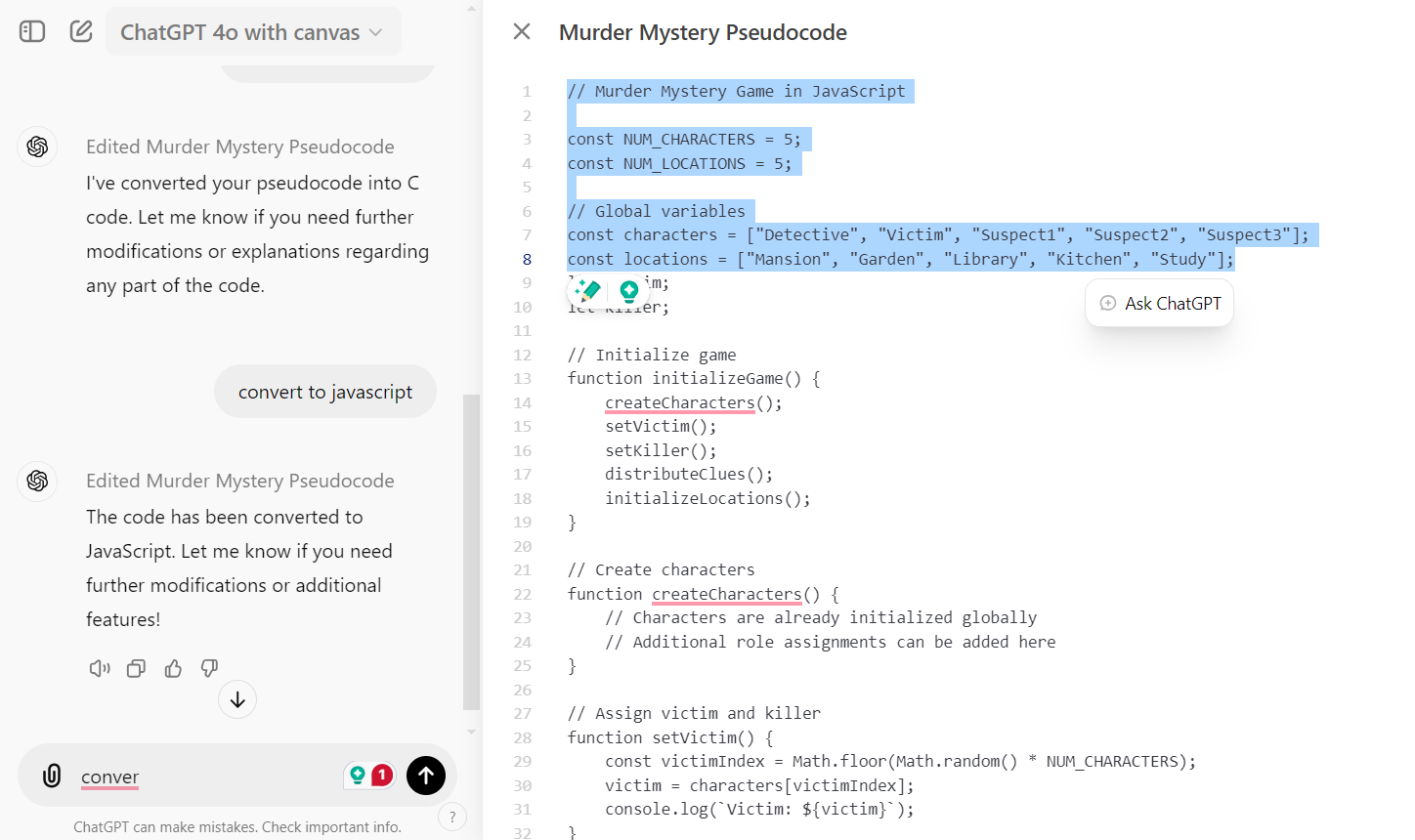


You can edit in the canvas window, and just as in the report-generating application (see  reports ); also, inside the window, you can highlight and get a prompt request. In the javascript version a few lines are highlighted, now let us get canvas to add more locations and characters by using ask ChatGPT that comes up when the text is highighted.
It has added two of each to the code.

Converting it to Python, and asking it for features to add to createCharacters()


The suggestions have been shown of the canvas screen and comes with apply button. The figure below shows the addition of the new features.

A feature I like about ChatGPT and coding is getting it to add in extra comments for a persona for example "now add in extra comments to explain the code for a beginner to python"

It feels more like a programmer's assistant than standard ChatGPT.

In part 2 I want to explore its ability to: 
- review code
- bug fixing 


All opinions in this blog are the Author's and should not in any way be seen as reflecting the views of any organisation the Author has any association with. Twitter @scottturneruon

Comments

Popular posts from this blog

GenAI Productivity: Ideas to project proposal 1

One of the ways I use Generative AI with students is to take basic ideas for projects, usually a title, and get these tools to greater ideas and start of a project proposal. This is with all the usual caveats  Check the references (if any); It is going to be basic, so extend it. In this example I am going to use Co-pilot but the ChatGPT, etc can be used, employing a few basic prompt engineering basics: personas (who is the target audience?) and Templates (how do I want it to look?) to start this process. Example:  Project ideas for MSc Data Intelligence students (persona)  on a particular topic. The reply will include subheadings and relevant (hopefully) content for  TITLE, INTRODUCTION, PROBLEM STATEMENT. The prompt: " Taking the topic "Leveraging open-source tools to measure and present academics publications automatically from public domain data.". Give five innovative projects for a Master's level student dissertation in Data Intelligence. Each project example wi...

GenAI Productivity: Ideas to project proposal ideas from Google Scholar

From Google Scholar to Project Ideas or Using AI to Map the Future of Your Research Generated as well by Google Gemini Have you ever looked at a researcher’s Google Scholar profile and felt overwhelmed? Between the long lists of citations and dense technical titles, "connecting the dots" of a decade-long career is a massive cognitive lift. Whether you are a student hunting for a dissertation topic or a professional scouting for a collaborator, understanding the trajectory of research is harder than reading the papers themselves. In my latest experiment, I used Google Gemini to see if it could bridge this gap. I gave it a specific challenge: Analyze my own research profile and design 10 compelling project ideas for a final-year Computer Science student. The Prompt: Turning Data into Direction The secret to a good AI output is giving it a clear "anchor." By providing a URL to a live dataset (my Scholar profile), I bypassed the need to copy-paste thousands of words....

Getting multiple viewpoints with ChatGPT

Well sort of! There are approaches where we can get the generative AI to look at a problem from multiple perspectives (or personas) and bring the ideas generated, ideally informed by the others. to a final plan. One of the main strategy is called Tree of Thoughts (see here for more detail  https://www.forbes.com/sites/lanceeliot/2023/09/08/prompt-engineering-embraces-tree-of-thoughts-as-latest-new-technique-to-solve-generative-ai-toughest-problems/?sh=5ce79bdb2c8b ). The central idea is get a number of expert opinions, allow potential cross-fertilization of ideas, come up with actions or plans. Let see this action.  Scenario: Find out about the UK Government's plans on Disability support and then use Tree of Thoughts to produce some ideas for a company making disability equipment based on their website. Google's Gemini will be used. Stage 1 "UK Governments plans on Disability support ": Prompt:  Read, convert to plain text and consolidate information from the followi...